
【コピペOK】HTML/CSSだけで作る!おしゃれなボタンデザイン30選
公開日
更新日
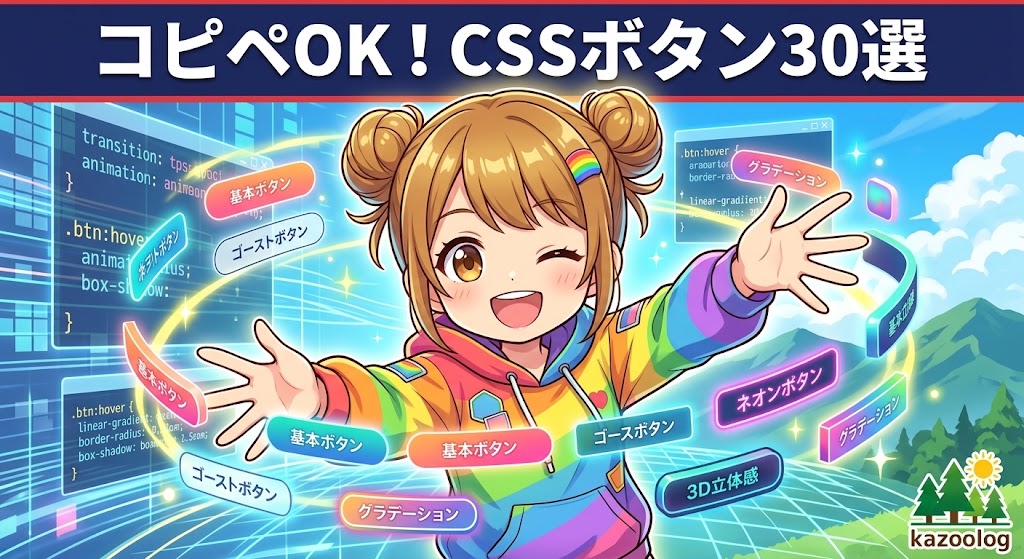
シンプルで使いやすいCSSボタンの作り方を、実際に使えるHTML/CSSコードと共にわかりやすく紹介します。ホバー効果やアニメーション、レスポンシブ対応までカバーしているので、コピペで即導入できます。
初心者から実務者まで使える「CSSボタン」の作り方を、サンプルコード付きで丁寧に解説します。標準的なフラットボタン、ホバーアニメーション、アイコン付きボタン、レスポンシブ対応など主要パターンを網羅。HTML/CSSのみで実装でき、コピー&ペーストでそのまま使えるコードを多数掲載しています。
See the Pen Untitled by 広瀬和哉 (@lpvcfdes-the-styleful) on CodePen.
ボタンデザイン30選 一覧(クリックでコードへ)
1. 基本の王道系(5選)
① シンプルな塗りつぶし
HTML
<a href="#" class="btn-basic">基本ボタン</a>CSS
.btn-basic {
  display: inline-block;
  text-decoration: none;
  background-color: #333;
  color: #fff;
  padding: 10px 20px;
  border-radius: 4px;
  transition: opacity 0.3s;
}
.btn-basic:hover {
  opacity: 0.8;
}
② 枠線のみ(ゴーストボタン)
HTML
<a href="#" class="btn-ghost">詳細を見る</a>CSS
.btn-ghost {
  display: inline-block;
  text-decoration: none;
  background-color: transparent;
  color: #333;
  padding: 10px 20px;
  border: 2px solid #333;
  border-radius: 4px;
  transition: all 0.3s;
}
.btn-ghost:hover {
  background-color: #333;
  color: #fff;
}
③ 角丸ピル型
HTML
<a href="#" class="btn-pill">お問い合わせ</a>CSS
.btn-pill {
  display: inline-block;
  text-decoration: none;
  background-color: #ff9900;
  color: #fff;
  padding: 12px 30px;
  border-radius: 50px;
  box-shadow: 0 4px 6px rgba(0,0,0,0.1);
  transition: transform 0.2s;
}
.btn-pill:hover {
  transform: translateY(-5px);
}
④ 立体的な押し込みボタン
HTML
<a href="#" class="btn-3d">購入する</a>CSS
.btn-3d {
  display: inline-block;
  text-decoration: none;
  background-color: #007bff;
  color: #fff;
  padding: 15px 30px;
  border-radius: 8px;
  border-bottom: 5px solid #0056b3;
  transition: all 0.1s;
}
.btn-3d:hover {
  transform: translateY(3px);
  border-bottom: 2px solid #0056b3;
}
⑤ グラデーションボタン
HTML
<a href="#" class="btn-gradient-reverse">会員登録</a>CSS
.btn-gradient-reverse {
  display: inline-block;
  text-decoration: none;
  color: #fff;
  padding: 12px 25px;
  border-radius: 5px;
  background-image: linear-gradient(to right, #FF512F 0%, #DD2476 50%, #FF512F 100%);
  background-size: 200% auto;
  transition: background-position 0.5s ease;
}
.btn-gradient-reverse:hover {
  background-position: right center;
}
2. アイコン付き・機能系(5選)
⑥ 右矢印つき(flexで配置)
HTML
<a href="#" class="btn-arrow">Next <span class="arrow">→</span></a>CSS
.btn-arrow {
  display: inline-flex;
  align-items: center;
  text-decoration: none;
  background-color: #333;
  color: #fff;
  padding: 10px 25px;
  gap: 10px;
}
.btn-arrow .arrow {
  transition: transform 0.3s;
}
.btn-arrow:hover .arrow {
  transform: translateX(5px);
}
⑦ ダウンロードアイコン
HTML
<a href="#" class="btn-dl">資料DL</a>CSS
.btn-dl {
  display: inline-block;
  position: relative;
  text-decoration: none;
  padding: 10px 40px 10px 20px;
  background: #28a745;
  color: #fff;
  border-radius: 4px;
}
.btn-dl::after {
  content: "↓";
  position: absolute;
  right: 15px;
  font-weight: bold;
}
⑧ 外部リンク用
HTML
<a href="#" class="btn-ext" target="_blank">公式サイトへ <span class="icon">❐</span></a>CSS
.btn-ext {
  display: inline-flex;
  align-items: center;
  text-decoration: none;
  color: #007bff;
  border-bottom: 1px solid #007bff;
  padding-bottom: 2px;
  transition: opacity 0.3s;
}
.btn-ext .icon {
  font-size: 0.8em;
  margin-left: 5px;
}
.btn-ext:hover {
  opacity: 0.7;
}
⑨ カート追加
HTML
<a href="#" class="btn-cart"><span>+</span> カート</a>CSS
.btn-cart {
  display: inline-flex;
  align-items: center;
  text-decoration: none;
  background: #fff;
  border: 1px solid #ccc;
  color: #333;
  padding: 8px 15px;
  border-radius: 4px;
  gap: 5px;
}
.btn-cart span {
  font-weight: bold;
  font-size: 1.2em;
  color: #ff9900;
}
.btn-cart:hover {
  background: #f9f9f9;
}
⑩ 上に戻るボタン「サイト右下ボタン」
HTML
<a href="#" class="btn-top">▲</a>CSS
.btn-top {
  position: fixed;
  bottom: 20px;
  right: 20px;
  display: flex;
  justify-content: center;
  align-items: center;
  text-decoration: none;
  width: 50px;
  height: 50px;
  background: #333;
  color: #fff;
  border-radius: 50%;
  opacity: 0.7;
  transition: opacity 0.3s;
  z-index: 5000;
}
.btn-top:hover {
  opacity: 1;
}
3. 視覚効果・CV重視系(5選)
⑪ キラッと光る
HTML
<a href="#" class="btn-shine">今すぐ申し込む</a>CSS
.btn-shine {
  display: inline-block;
  position: relative;
  text-decoration: none;
  background: #e60012;
  color: #fff;
  padding: 15px 40px;
  font-weight: bold;
  overflow: hidden;
}
.btn-shine::before {
  content: '';
  position: absolute;
  top: 0;
  left: -100%;
  width: 100%;
  height: 100%;
  background: linear-gradient(to right, transparent, rgba(255,255,255,0.5), transparent);
  transform: skewX(-20deg);
  animation: shine 3s infinite;
}
@keyframes shine {
  100% { left: 200%; }
}
⑫ ふわふわ浮く
HTML
<a href="#" class="btn-float">無料体験</a>CSS
.btn-float {
  display: inline-block;
  text-decoration: none;
  background: #fff;
  color: #333;
  padding: 12px 30px;
  border: 1px solid #ddd;
  border-radius: 30px;
  box-shadow: 0 5px 15px rgba(0,0,0,0.1);
  transition: all 0.3s;
}
.btn-float:hover {
  transform: translateY(-5px);
  box-shadow: 0 10px 20px rgba(0,0,0,0.15);
}
⑬ 背景がスライドして塗りつぶし
HTML
<a href="#" class="btn-slide">Contact</a>CSS
.btn-slide {
  display: inline-block;
  position: relative;
  text-decoration: none;
  background: transparent;
  color: #333;
  padding: 10px 30px;
  border: 2px solid #333;
  z-index: 1;
  overflow: hidden;
  transition: color 0.4s;
}
.btn-slide::before {
  content: "";
  position: absolute;
  top: 0;
  left: 0;
  width: 0;
  height: 100%;
  background: #333;
  z-index: -1;
  transition: width 0.4s;
}
.btn-slide:hover {
  color: #fff;
}
.btn-slide:hover::before {
  width: 100%;
}
⑭ 脈打つ(パルス)
HTML
<a href="#" class="btn-pulse">残りわずか!</a>CSS
.btn-pulse {
  display: inline-block;
  text-decoration: none;
  background: #ff5252;
  color: #fff;
  padding: 12px 24px;
  border-radius: 50px;
  animation: pulse 2s infinite;
}
@keyframes pulse {
  0% { box-shadow: 0 0 0 0 rgba(255, 82, 82, 0.7); }
  70% { box-shadow: 0 0 0 10px rgba(255, 82, 82, 0); }
  100% { box-shadow: 0 0 0 0 rgba(255, 82, 82, 0); }
}
⑮ ネオン風
HTML
<a href="#" class="btn-neon">START</a>CSS
.btn-neon {
  display: inline-block;
  text-decoration: none;
  background: transparent;
  color: #00ff00;
  padding: 10px 30px;
  border: 2px solid #00ff00;
  border-radius: 4px;
  box-shadow: 0 0 5px #00ff00, inset 0 0 5px #00ff00;
  text-shadow: 0 0 5px #00ff00;
  transition: all 0.3s;
}
.btn-neon:hover {
  background: #00ff00;
  color: #000;
  box-shadow: 0 0 20px #00ff00, inset 0 0 10px #00ff00;
}
4. マイクロインタラクション・特殊系(5選)
⑯ リップルエフェクト
HTML
<a href="javascript:void(0)" class="btn-ripple">Click Me</a>CSS
.btn-ripple {
  display: inline-block;
  position: relative;
  overflow: hidden;
  text-decoration: none;
  background: #6200ea;
  color: white;
  padding: 12px 24px;
}
.btn-ripple:active::after {
  content: "";
  position: absolute;
  top: 50%;
  left: 50%;
  width: 100px;
  height: 100px;
  background: rgba(255,255,255,0.3);
  border-radius: 50%;
  transform: translate(-50%, -50%) scale(0);
  animation: ripple 0.4s linear;
}
@keyframes ripple {
  to { transform: translate(-50%, -50%) scale(4); opacity: 0; }
}
⑰ テキストリンクの下線が伸びる
HTML
<a href="#" class="link-underline">Read More</a>CSS
.link-underline {
  display: inline-block;
  text-decoration: none;
  color: #333;
  position: relative;
  padding-bottom: 2px;
}
.link-underline::after {
  content: '';
  position: absolute;
  bottom: 0;
  left: 0;
  width: 0%;
  height: 1px;
  background: #333;
  transition: width 0.3s;
}
.link-underline:hover::after {
  width: 100%;
}
⑱ SNSシェアボタン
HTML
<a href="#" class="btn-sns">Xでシェア</a>CSS
.btn-sns {
  display: inline-block;
  text-decoration: none;
  background: #000;
  color: #fff;
  padding: 10px 20px;
  border-radius: 4px;
  font-weight: bold;
}
.btn-sns:hover {
  background: #333;
}
⑲ disabled風(無効状態)
HTML
<a href="#" class="btn-disabled is-disabled">送信不可</a>CSS
.btn-disabled {
  display: inline-block;
  text-decoration: none;
  background: #007bff;
  color: #fff;
  padding: 10px 20px;
  border-radius: 4px;
}
.btn-disabled.is-disabled {
  background: #ccc;
  color: #666;
  pointer-events: none;
  cursor: not-allowed;
}
⑳ 円形のフローティングアクションボタン(FAB)
HTML
<a href="javascript:void(0)" class="btn-fab">+</a>CSS
.btn-fab {
  display: flex;
  justify-content: center;
  align-items: center;
  text-decoration: none;
  width: 56px;
  height: 56px;
  border-radius: 50%;
  background: #ff4081;
  color: white;
  font-size: 24px;
  box-shadow: 0 4px 10px rgba(0,0,0,0.3);
  transition: transform 0.2s;
}
.btn-fab:hover {
  transform: scale(1.1);
}
5. トレンド・モダンデザイン(5選)
㉑ グラスモーフィズム(ガラス風)
HTML
<a href="#" class="btn-glass">詳細を見る</a>CSS
.btn-glass {
  display: inline-block;
  text-decoration: none;
  color: #333;
  padding: 12px 30px;
  background: rgba(255, 255, 255, 0.4);
  backdrop-filter: blur(8px);
  -webkit-backdrop-filter: blur(8px);
  border: 1px solid rgba(255, 255, 255, 0.5);
  border-radius: 8px;
  box-shadow: 0 4px 10px rgba(0, 0, 0, 0.1);
  transition: background 0.3s;
}
.btn-glass:hover {
  background: rgba(255, 255, 255, 0.6);
}
㉒ ニューモーフィズム(凹凸)
HTML
<a href="#" class="btn-neumorphism">Submit</a>CSS
.btn-neumorphism {
  display: inline-block;
  text-decoration: none;
  color: #555;
  padding: 15px 30px;
  background: #e0e5ec;
  border-radius: 50px;
  box-shadow: 6px 6px 12px #a3b1c6, -6px -6px 12px #ffffff;
  transition: all 0.2s ease-in-out;
}
.btn-neumorphism:hover {
  box-shadow: inset 6px 6px 12px #a3b1c6, inset -6px -6px 12px #ffffff;
}
㉓ ドロップシャドウのズレ(ポップスタイル)
HTML
<a href="#" class="btn-pop-shadow">タップしてね</a>CSS
.btn-pop-shadow {
  display: inline-block;
  text-decoration: none;
  color: #111;
  font-weight: bold;
  background: #ffde00;
  padding: 12px 25px;
  border: 2px solid #111;
  box-shadow: 4px 4px 0px #111;
  transition: all 0.2s;
}
.btn-pop-shadow:hover {
  transform: translate(2px, 2px);
  box-shadow: 2px 2px 0px #111;
}
㉔ ボーダーアニメーション(上下から枠線)
HTML
<a href="#" class="btn-border-draw">View Gallery</a>CSS
.btn-border-draw {
  display: inline-block;
  position: relative;
  text-decoration: none;
  color: #333;
  padding: 10px 30px;
  background: transparent;
  transition: color 0.3s;
  z-index: 1;
}
.btn-border-draw::before,
.btn-border-draw::after {
  content: '';
  position: absolute;
  width: 0;
  height: 2px;
  background: #333;
  transition: all 0.3s;
  z-index: -1;
}
.btn-border-draw::before {
  top: 0;
  left: 0;
}
.btn-border-draw::after {
  bottom: 0;
  right: 0;
}
.btn-border-draw:hover::before,
.btn-border-draw:hover::after {
  width: 100%;
}
㉕ ホバーでアイコンがスライドイン
HTML
<a href="#" class="btn-icon-slide">次のページへ</a>CSS
.btn-icon-slide {
  display: inline-block;
  position: relative;
  overflow: hidden;
  text-decoration: none;
  color: #fff;
  background: #007bff;
  padding: 12px 40px;
  border-radius: 4px;
  transition: padding 0.3s;
}
.btn-icon-slide::after {
  content: '→';
  position: absolute;
  right: -20px;
  top: 50%;
  transform: translateY(-50%);
  transition: right 0.3s;
}
.btn-icon-slide:hover {
  padding-right: 50px;
  padding-left: 30px;
}
.btn-icon-slide:hover::after {
  right: 20px;
}
6. アニメーション特化系(5選)
㉖ ゼリーのような弾力(バウンス)
HTML
<a href="#" class="btn-jelly">ダウンロード</a>CSS
.btn-jelly {
  display: inline-block;
  text-decoration: none;
  background: #28a745;
  color: #fff;
  padding: 12px 30px;
  border-radius: 30px;
}
.btn-jelly:hover {
  animation: jelly 0.5s ease;
}
@keyframes jelly {
  0% { transform: scale(1, 1); }
  30% { transform: scale(1.25, 0.75); }
  40% { transform: scale(0.75, 1.25); }
  50% { transform: scale(1.15, 0.85); }
  65% { transform: scale(0.95, 1.05); }
  75% { transform: scale(1.05, 0.95); }
  100% { transform: scale(1, 1); }
}
㉗ サイバーパンク風(斜めカット)
HTML
<a href="#" class="btn-cyberpunk">ENTER THE MATRIX</a>CSS
.btn-cyberpunk {
  display: inline-block;
  text-decoration: none;
  color: #fff;
  background: #000;
  padding: 15px 30px;
  font-weight: bold;
  letter-spacing: 2px;
  clip-path: polygon(10% 0, 100% 0, 100% 70%, 90% 100%, 0 100%, 0 30%);
  transition: all 0.2s;
}
.btn-cyberpunk:hover {
  background: #00ff00;
  color: #000;
}
㉘ 中央から円形に塗りつぶし
HTML
<a href="#" class="btn-circle-fill">Register</a>CSS
.btn-circle-fill {
  display: inline-block;
  position: relative;
  overflow: hidden;
  text-decoration: none;
  color: #ff5252;
  padding: 10px 30px;
  border: 2px solid #ff5252;
  border-radius: 30px;
  transition: color 0.4s;
  z-index: 1;
}
.btn-circle-fill::before {
  content: "";
  position: absolute;
  top: 50%;
  left: 50%;
  width: 300px;
  height: 300px;
  background: #ff5252;
  border-radius: 50%;
  transform: translate(-50%, -50%) scale(0);
  transition: transform 0.4s;
  z-index: -1;
}
.btn-circle-fill:hover {
  color: #fff;
}
.btn-circle-fill:hover::before {
  transform: translate(-50%, -50%) scale(1);
}
㉙ ストライプ背景アニメーション
HTML
<a href="#" class="btn-stripe-anim">処理中...</a>CSS
.btn-stripe-anim {
  display: inline-block;
  text-decoration: none;
  color: #fff;
  padding: 12px 30px;
  background: repeating-linear-gradient(45deg, #17a2b8, #17a2b8 10px, #138496 10px, #138496 20px);
  background-size: 28px 28px;
  border-radius: 4px;
  transition: background-position 0.5s linear;
}
.btn-stripe-anim:hover {
  background-position: 100% 0;
}
㉚ スポットライト風(背景グラデ移動)
HTML
<a href="#" class="btn-spotlight">プレミアムプラン</a>CSS
.btn-spotlight {
  display: inline-block;
  text-decoration: none;
  color: #fff;
  padding: 12px 30px;
  background: linear-gradient(120deg, #333, #333 40%, #888 50%, #333 60%, #333);
  background-size: 200% 100%;
  border-radius: 4px;
  transition: background-position 0.5s;
}
.btn-spotlight:hover {
  background-position: 100% 0;
}